

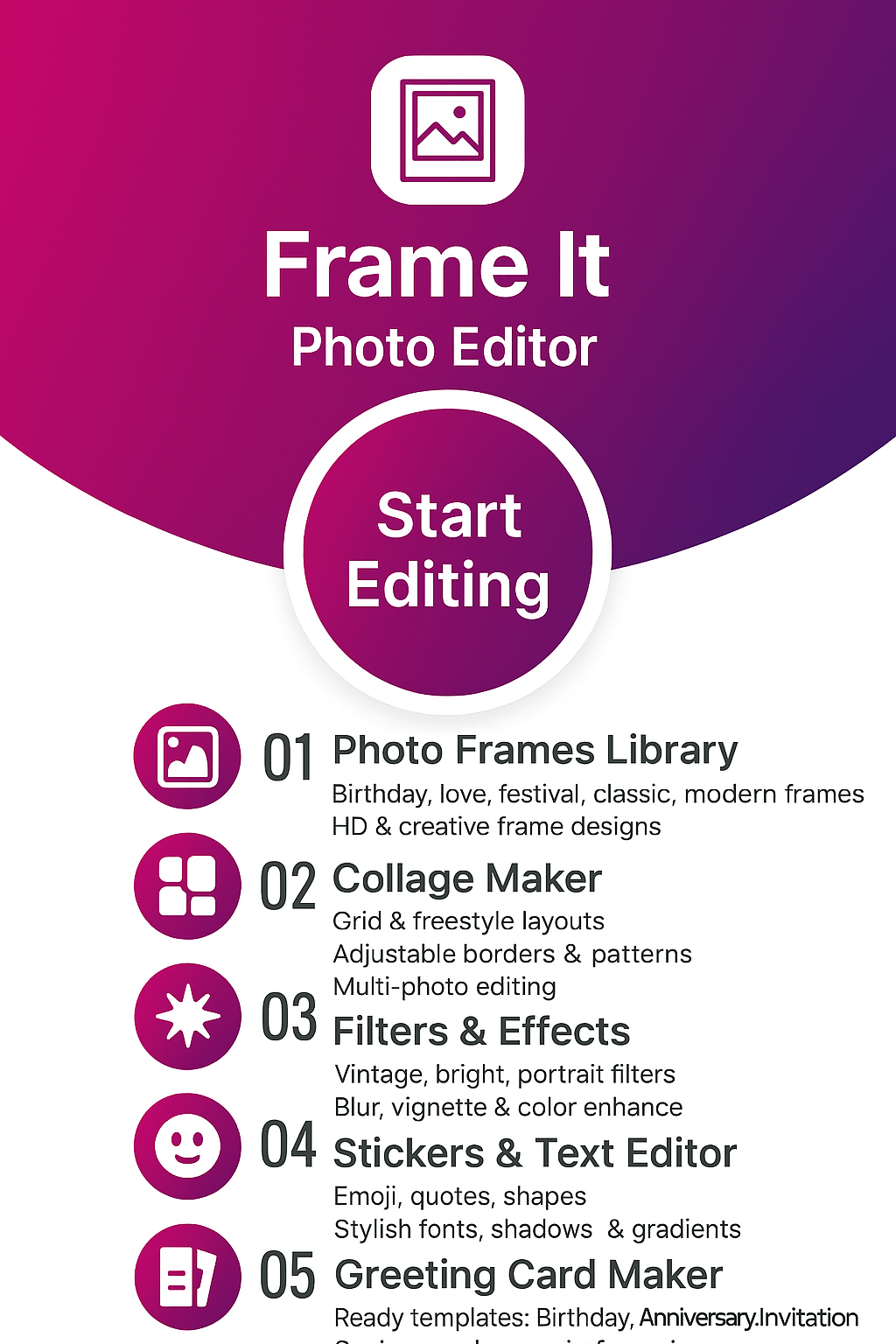
Frame It: Photo Editor — Photo Frames, Collage Maker & Greeting Cards
Design beautiful photo frames, collages and greeting cards in seconds. Pick a layout, add your photos, then customize with filters, text, stickers and borders. Create birthday, anniversary and festival wishes and share your HD edits directly to WhatsApp, Instagram and Facebook.
- Birthday & Anniversary Photo Frames
- Festival & Greeting Card Templates
- Photo Collage Maker Grids & Layouts
- Text on Photo, Stickers & Emojis
- Filters, Overlays & HD Export
About Frame It by FormationApps
Photo Frames and Collage Maker for Android — Greeting Cards in Minutes
Frame It: Photo Editor is a creative photo frames and collage maker app for Android that helps you design birthday frames, anniversary frames, festival greeting cards and stylish multi-photo collages with filters, text, borders and stickers. Mix photos, add decorative elements, apply overlays and share instantly on your favorite social platforms. You can also explore other FormationApps editors like men photo suit editor, women traditional dress editor, name art tools and other popular photo editing apps.
Filters and Creative Looks
Apply trending filters, glow effects and vignette to enhance birthday, couple or festival photos for Instagram, WhatsApp Status and Facebook stories.
Text on Photo and Stickers
Add names, quotes or wishes with stylish fonts and colors, then decorate your frames with emojis, stickers and fun artwork for any celebration.
Photo Frames and Borders
Choose from classic, modern and festive photo frames with beautiful decorative borders perfect for selfies, couple photos and family portraits.
Collage and Greeting Cards
Combine multiple photos using grid layouts or start from greeting card templates designed for birthdays, anniversaries and popular Indian festivals.
Frame It Features
Discover why Android users love Frame It: Photo Editor. Create stylish photo frames, birthday and anniversary greetings, festival cards and multi-photo collages with simple tools designed for everyday users, creators and social media lovers.

Stylish Photo Frames and Filters
Turn simple photos into share-ready designs with modern, classic and festive frames plus easy filters.
Pick a border style, adjust zoom and position, then apply trending looks like vintage, warm glow or high contrast. Perfect for birthday selfies, couple photos, family portraits and daily social posts without any pro editing skills.
- Ready-made frames for birthdays, anniversaries and everyday moments
- One-tap filters for selfies, travel and family photos
- Fine control over brightness, contrast and saturation

Photo Collage Maker with Grids and Layouts
Combine multiple photos into creative collages for stories, posts and status updates.
Choose your grid, drop in photos, then adjust spacing, rounded corners and background color. Create travel collages, friendship memories, couple moments or product showcases in popular aspect ratios for Instagram and WhatsApp.
- Multiple grid layouts and freestyle collage options
- Adjustable spacing, corner radius and background styles
- Aspect ratios for square posts, feeds and vertical stories

Greeting Card Templates for Every Occasion
Design personalised greeting cards in a few taps and send them digitally to friends and family.
Browse themed templates for birthdays, anniversaries, love messages and Indian festivals. Add your photos, write a warm message and save or share instantly. Great for last-minute digital cards that still feel personal and creative.
- Ready designs for birthdays, anniversaries and festive greetings
- Simple text editor for names, quotes and wishes
- Quick sharing to WhatsApp, Instagram and other social apps

Text, Stickers, Overlays and HD Export
Finish every edit with expressive text, emojis and decorative overlays before saving in high quality.
Add captions, titles or wishes with stylish fonts and color gradients, then decorate with emojis, stickers and light leaks. Export your frames, collages and greeting cards in HD so they look crisp on mobile screens and small prints.
- Text on photo with multiple fonts, colors and alignment options
- Sticker packs, emojis and overlays for fun edits
- High-resolution export suitable for social media and printing
Gallery — Photo Frames, Collages and Greeting Cards
Explore sample edits created with Frame It: Photo Editor — birthday and anniversary photo frames, festival greeting cards, multi-photo collages, filters, text and stickers. See how simple photos turn into shareable designs for WhatsApp Status, Instagram posts and Facebook stories using our ready-made layouts and creative tools.





User Reviews and Testimonials — Frame It: Photo Editor
See what Android users say about Frame It: Photo Editor. From birthday and anniversary frames to festival greeting cards, collages, text tools and stickers, people love how easy it is to create beautiful designs for WhatsApp Status, Instagram stories and Facebook posts. Frame It delivers simple editing, clean layouts and creative templates that users enjoy every day.

Aditi Sharma
Frame it
Frame It has become my go-to app for making birthday and festival greeting cards. The photo frames look premium, the fonts are stylish, and adding stickers is super easy. I make all my WhatsApp Status wishes using this app now. Highly recommended for quick and beautiful edits!

Rahul Verma
Frame it
I love the collage maker in Frame It. The grid layouts, spacing controls and background colors make every travel photo look clean and professional. Export quality is sharp, and sharing to Instagram stories is seamless. One of the best lightweight editors on Android.

Sneha Kapoor
Frame it
This app is perfect for editing family pictures. The anniversary frames, love frames and cute festival templates are very creative. Text on photo works smoothly and the fonts look modern. Great for people who want stylish designs without complicated editing.

Arjun Mehra
Frame it
Frame It makes designing greeting cards so easy. I created Diwali and birthday wishes within minutes using ready-made templates. Stickers, filters and borders are fun to use. The HD export is a big plus because my photos stay clear even after sharing.

Riya Patel
Frame it
I use Frame It mainly for couple photos and selfies. The pastel frames, glow filters and decorative overlays add such a soft, aesthetic look. It’s perfect for Instagram reels, highlight covers and pretty story posts. Simple, clean and beautifully designed app!
Frequently Asked Questions
Find quick answers about Frame It: Photo Editor — photo frames, collage maker tools, greeting card templates, filters, stickers, text features, sharing options and app permissions. Learn how to create stylish designs for WhatsApp Status, Instagram stories and Facebook posts using simple editing tools.
Yes, Frame It is free to download on Android and you can start editing without creating an account. Optional in-app purchases unlock additional frame packs, collage templates, stickers and an ad-free experience. You can use all essential photo frame and collage tools for free.
Select a template from the greeting card section, add your photo, then write your message using the text tool. You can decorate with stickers, emojis and borders. Export in HD and share directly to WhatsApp, Instagram or other apps.
Yes, you can add several photos into grid or freestyle layouts. Adjust spacing, rounded corners and background colors to match your style. Collages can be exported in square, portrait or vertical story sizes for your social media posts.
Absolutely. Use the text tool to write names, quotes and wishes using stylish fonts and colors. Add stickers, emojis and overlays to give your designs a fun or elegant look. Everything is fully adjustable, including size, rotation and alignment.
Most tools like frames, text, collage maker, filters and stickers work offline. You may need internet only to download new frame packs, access offers or sync premium purchases if required.
Premium packs and ad-free editing can be unlocked through in-app purchases. You will see upgrade options inside the app and on the Google Play listing. Free users still get access to many frames and collage tools.
The app needs access to your camera and storage so you can import photos, capture new images and save your edited frames or collages. Your photos remain on your device unless you choose to share them. Check our Privacy Policy for more details.
You can reach us through the in-app Help section or submit your message through the website’s contact form. For faster help, include your device model, Android version, app version and a screenshot or short screen recording. You may also email care.formationapps@gmail.com.
Contact
Questions, feedback, or partnership ideas? We’d love to hear from you.
Address
India • Serving users worldwide
Support Hours
Mon-Sat, 10:00-18:00 IST
Email Us
For bug reports, include device model, Android version & app version.